
ViDesigner Christmas Calendar · WordPress plugin
Your own advent calendar for WordPress
Give your visitors a new surprise every day in December, with images, videos and links behind each door. Start free, then add extra Christmas magic with PRO: snow, custom door styling, animations, sound and one large daily door on mobile.
24 or 25 doors · Date-based opening · Your own images and text
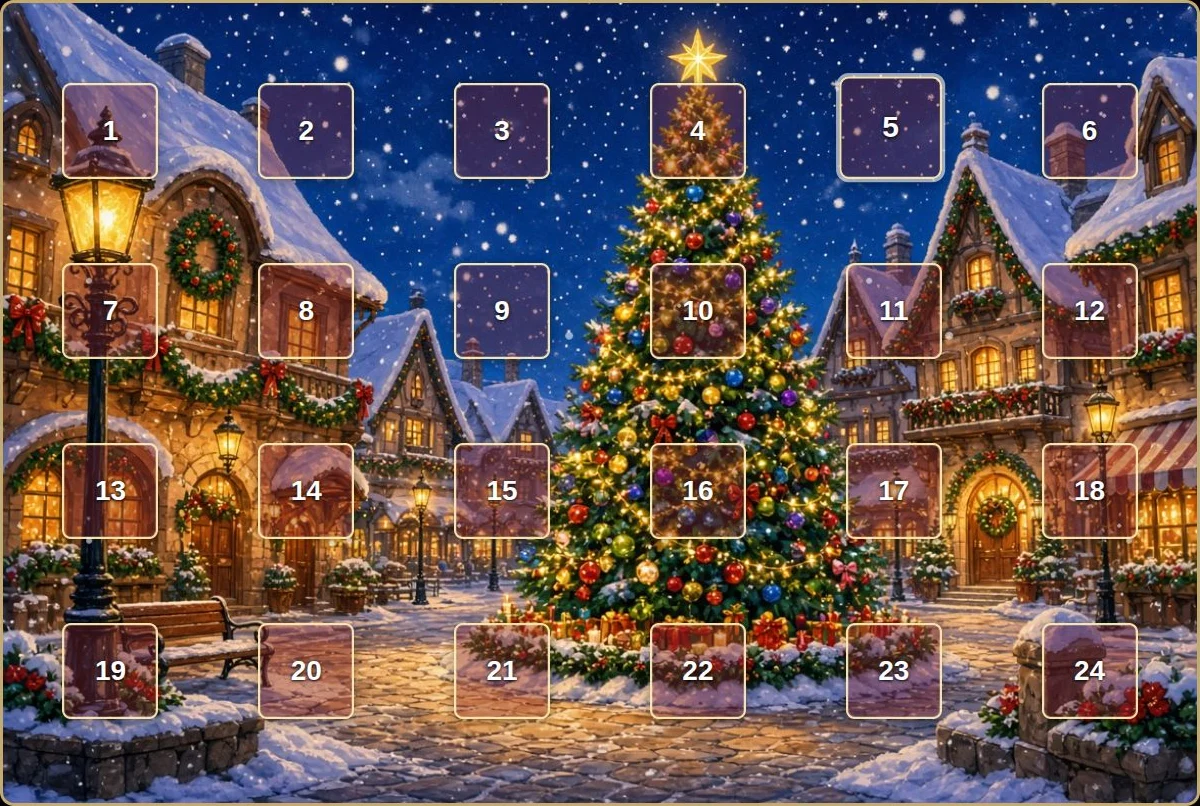
A little surprise. Every day in December.
Fill your doors with images, stories, videos, links or little activities. Choose one of the three included backgrounds or use your own image. Drag the doors into place and add the calendar to a WordPress page with a shortcode.
Doors unlock by date. As a logged-in editor, you can test future doors while visitors still follow the calendar dates.
New in PRO 0.1.9
Christmas magic. Even on a small screen.
Mobile Focus Mode gives today’s door plenty of room on mobile. It sits in a cosy Christmas-green frame with golden details and your calendar’s own background image.
- Choose today’s door only, today plus previous available doors, or a slider.
- Choose a soft garland with gently twinkling lights, or two detailed golden bells that sway occasionally and swing when a door opens.
- Keep your door shape, Advent borders, opening animations and festive sounds.
- Add snow and let visitors pause the movement. Reduced-motion preferences are respected.
The compact calendar also fits a narrow desktop column or a small panel on your intranet. Let the view follow the container width, or choose the compact view at any size.
Future doors keep their date locks. The interface is available in English and Danish.
Choose your calendar
Start with FREE. Make it your own with PRO.
FREE
Free
Everything you need to get your advent calendar started.
- 24 or 25 doors with date-based opening
- Three included backgrounds or your own image
- Position doors with drag and drop
- Text, images, YouTube videos and link buttons
- Add the calendar with a shortcode
Getting started: Search for “ViDesigner Christmas Calendar” under Plugins → Add New Plugin in WordPress.
PRO · Standard
$29 USD / year, excluding tax
Everything in FREE, plus extra styling and festive effects.
- Mobile Focus Mode for phones, narrow columns and intranets
- A garland with twinkling lights or two gently moving golden bells
- Custom door colours and transparency
- Animated snowfall over your calendar
- Door-opening animations: door, sparkle and flip
- Festive sounds, your own MP3 and volume control
- Golden highlights for special Advent doors
- Hidden answers for riddles
Licence for one website. PRO is an add-on and requires the FREE plugin to be installed.
Your subscription renews automatically each year. Cancel before the next renewal to avoid another charge. Applicable tax and the total price are shown at checkout. You are billed in USD.
PRO 0.1.10 · Downloads og installation
Download PRO and get started
Har du købt PRO? Log ind på din Freemius-kundekonto for at hente PRO 0.1.10 til din licens. Du kan også opdatere fra WordPress, når opdateringen er tilgængelig dér.
Installing PRO for the first time?
- Tag backup af hjemmesiden.
- Upload FREE 1.0.1-pakken nedenfor under Plugins → Add New Plugin → Upload Plugin. Har du allerede FREE, vælg at erstatte den nuværende version. Slet ikke FREE først.
- Aktivér FREE, og gennemfør Freemius-forbindelsen.
- Hent PRO fra din Freemius-konto, upload og aktivér PRO, og indtast din licensnøgle.
- Lad både FREE og PRO være aktive. Kun én PRO-kopi må være aktiv.
Forbindelsespakken er gratis. Den almindelige PRO kræver fortsat en gyldig licens.
PRO works alongside FREE. First update your existing FREE installation with the separate FREE 1.0.1 connection package below, if it does not already include the PRO connection. Your calendars and content are preserved. Then install PRO and activate your licence.
Download FREE 1.0.1 for PRO (.zip)
Back up your site and try the update on a test site first. Keep FREE active and use only one active PRO copy. FREE for ordinary free use is still available on WordPress.org.
From idea to your first door
- Install FREE. Create a calendar and choose the year, number of doors and background.
- Add your content. Position the doors and fill them with daily surprises.
- Add PRO for extra effects. After purchase, you receive a download link, licence key and installation instructions by email. First update FREE with the separate FREE 1.0.1 connection package for PRO; your calendars are preserved. Then install PRO, activate your licence and choose your effects.
- Display your calendar. Add its shortcode to your WordPress page and check the display on desktop and mobile.
Good to know
Do I need PRO to use the calendar?
No. FREE works on its own. PRO adds styling options and effects to the free calendar.
Do I need to update FREE when I choose PRO?
PRO requires FREE with its licence-system connection. For a new PRO installation, use the separate FREE 1.0.1 package from ViDesigner before installing PRO. FREE for ordinary free use remains available on WordPress.org. Your calendar content is preserved when you update the existing installation.
How do I purchase PRO?
Payments are handled by Freemius. You can review the total price, tax, renewal details and applicable purchase and refund terms at checkout before confirming your order.
Any questions?
Email info@videsigner.dk.